
How grading works at UTS
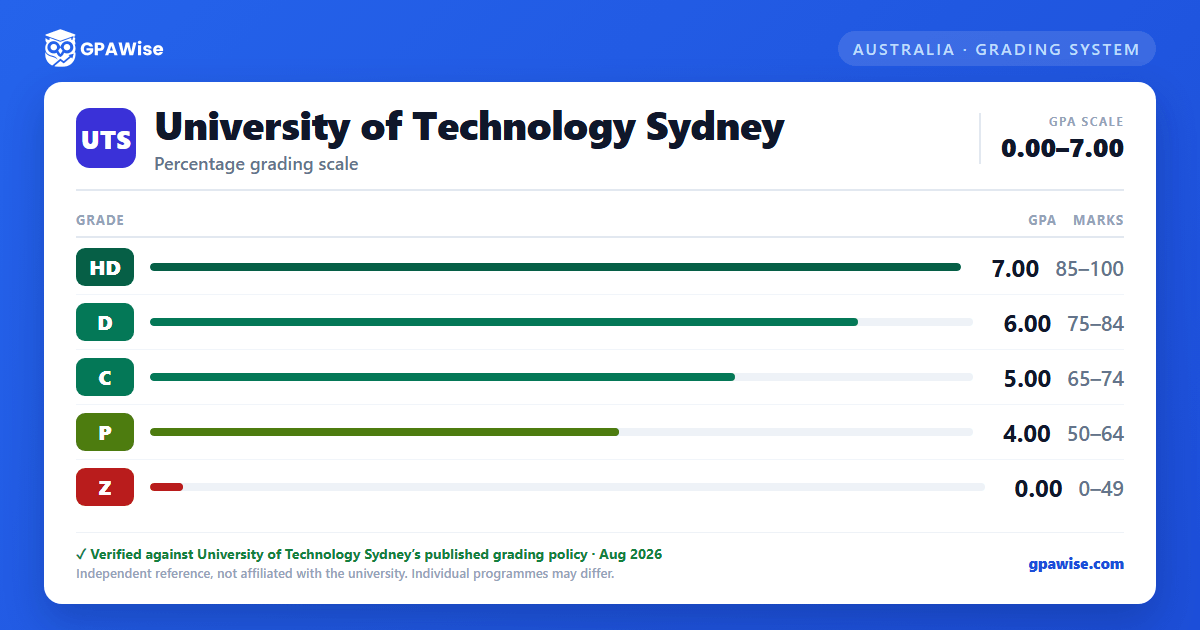
UTS grades coursework subjects on a five-band scale, each carrying a fixed grade point on a 0.00–7.00 GPA scale (Academic Board resolution AB/19-4/75, effective 14 January 2020):
| Grade | Mark range | Grade point |
|---|---|---|
| High Distinction (HD) | 85–100% | 7.00 |
| Distinction (D) | 75–84% | 6.00 |
| Credit (C) | 65–74% | 5.00 |
| Pass (P) | 50–64% | 4.00 |
| Fail (Z) | 0–49% | 0.00 |
UTS also awards Fail (X) for unsatisfactory performance in a compulsory subject component — it can be given regardless of your overall mark, so it doesn't sit in its own mark band. Ungraded subjects (assessed Pass/Fail only, with no grade point) and administrative notations such as Withheld (W) and Results Pending (Q) are not counted toward your GPA.
Source: Coursework Assessments Policy, Appendix 1: Results and grades — verified Aug 2026
How your UTS GPA is calculated, and how it differs from your WAM
UTS reports two different averages on your transcript and Australian Higher Education Graduation Statement (AHEGS): your grade point average (GPA), on the 0.00–7.00 scale above, and your weighted average mark (WAM), the credit-point-weighted average of your actual percentage marks. Neither is a conversion of the other — both are calculated independently and shown side by side.
The GPA formula is:
GPA = [(Sub1 GP × CP) + (Sub2 GP × CP) + … + (SubN GP × CP)] / (Total CP enrolled)
where GP is each subject's grade point and CP is its credit points. Grades for all enrolled subjects are included in the GPA calculation, including fail results, except where the subject is ungraded (Pass/Fail only). GPA is calculated on finalised subjects only — unresolved or withheld results are excluded until they're finalised.
Source: Coursework Assessments Policy Appendix 1; Grade point average and weighted average mark page — verified Aug 2026
How your degree classification is set (Bachelor of Business example)
Some UTS Bachelor degrees are awarded with Distinction, Credit or Pass based on your weighted average mark (WAM) across all graded subjects — not your GPA. Thresholds vary by course; for example, for the Bachelor of Business and its combined degrees:
- Distinction — WAM 74.50 and above
- Credit — WAM 64.50–74.49 (inclusive)
- Pass — WAM 64.49 and below
Ungraded pass/fail subjects, exchange subjects, and recognition-of-prior-learning credit are excluded from this WAM calculation; an Ungraded Fail still counts as a failed subject. Check your own course's completion requirements for its specific thresholds — they are set per course, not university-wide.
Source: Course completion and graduation page, Bachelor of Business section — verified Aug 2026
Frequently asked questions
What grading scheme does University of Technology Sydney (UTS) use?
Where does this UTS grade scale come from?
Does UTS use a GPA, a WAM, or both?
Both. UTS transcripts and AHEGS show a GPA (0.00–7.00, based on fixed grade points per subject grade) and a WAM (the credit-weighted average of your actual percentage marks) side by side. They're calculated independently — one isn't derived from the other.
Source: Coursework Assessments Policy, Appendix 1: Results and grades — verified Aug 2026
Why does UTS use "Z" for Fail instead of "F"?
UTS's own grading table doesn't use a plain "F" — it prints two distinct fail codes. Fail (Z) is the ordinary fail, awarded for marks of 0–49%. Fail (X) is a separate hurdle fail for unsatisfactory performance in a compulsory subject component, and can be awarded regardless of your overall percentage mark.
Source: Coursework Assessments Policy, Appendix 1: Results and grades; Grading schema for coursework subjects — verified Aug 2026
