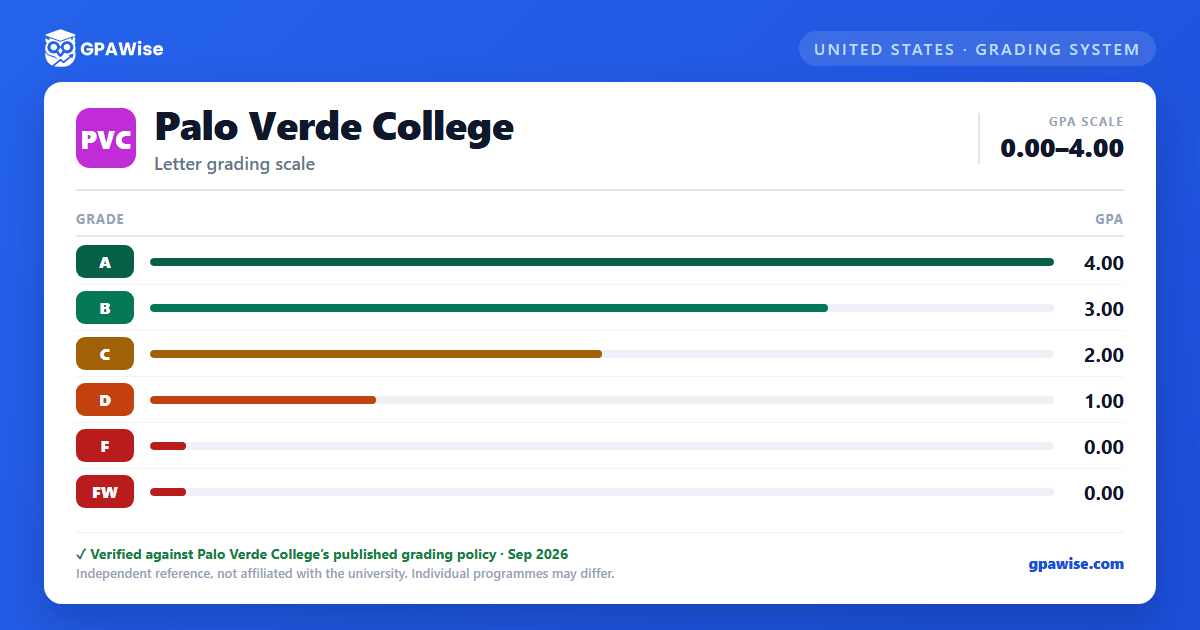

How Palo Verde College Calculates Your GPA
Palo Verde College computes the grade point average (GPA) by dividing all grade points received by all units attempted.
Some symbols are not counted in the GPA at all: P (Pass) and NP (No Pass) units are excluded, as are I (Incomplete), IP (In Progress), W (Withdrawal), MW (Military Withdrawal), and RD (Report Delayed).
A student may attempt a course a maximum of three times. When a substandard grade (D, F, FW, or NP) is repeated, the first (or first and second) substandard grade is excluded from the GPA, and only the grade from the third or final attempt is included.
Source: Palo Verde College 2026-2027 Catalog, Academic Regulations and Standards — Grades and Grade Points, Non-Evaluative Symbols, Course Repetition — verified Sep 2026
Academic Notice, Progress Notice, and Pause
A student who has attempted 12 or more semester units is subject to Academic Notice if their cumulative GPA falls below 2.0. After being placed on Academic Notice, a student has one additional semester (three semesters total) to raise their cumulative GPA to 2.0 or higher.
A student is subject to Progress Notice when the percentage of units recorded as W, I, NP, or NC reaches or exceeds 50% of total units attempted.
A student on Academic Notice is subject to Pause if their cumulative GPA remains below 2.0 for three consecutive semesters. A student on Progress Notice is subject to Pause if their W/I/NP/NC percentage remains at or above 50% for three consecutive semesters. A student who has been paused must wait at least one semester before applying for Restart.
Source: Palo Verde College 2026-2027 Catalog, Academic Regulations and Standards — Academic Notice, Progress Notice, Pause, Restart — verified Sep 2026
Minimum GPA to Graduate
To graduate from Palo Verde College, a student must achieve at least a "C" (2.0) grade point average in all work attempted, computed by dividing all grade points received by all units attempted.
Source: Palo Verde College 2026-2027 Catalog, Academic Regulations and Standards — Required Grade Point Average — verified Sep 2026
Frequently asked questions
What grading scheme does Palo Verde College (PVC) use?
Where does this PVC grade scale come from?
What are PVC's GPA rules?
Source: Palo Verde College 2026-2027 Catalog, Academic Regulations and Standards — Grades and Grade Points, Non-Evaluative Symbols, Course Repetition — verified Sep 2026
What are PVC's academic standing rules?
Source: Palo Verde College 2026-2027 Catalog, Academic Regulations and Standards — Academic Notice, Progress Notice, Pause, Restart — verified Sep 2026
What does PVC require to graduate?
Source: Palo Verde College 2026-2027 Catalog, Academic Regulations and Standards — Required Grade Point Average — verified Sep 2026
