
How grades work at LLCC
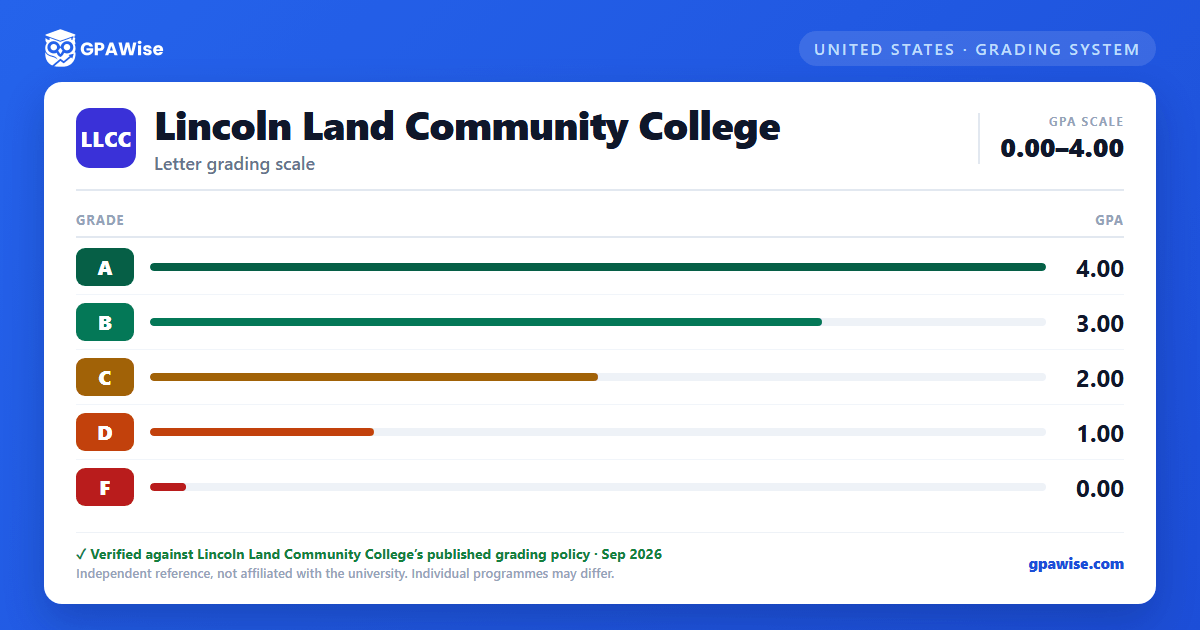
LLCC grades on a 4.0 scale with five letter grades: A (4.00), B (3.00), C (2.00), D (1.00), and F (0.00). There is no A+ and no plus/minus grading at all — A itself, at 4.00, is the top of the scale.
Several marks appear on your transcript but carry no grade points and are not counted in your GPA: P (Satisfactory completion), W (Withdraw), I (Incomplete), and SP (Satisfactory progress, developmental courses). AU (Audit), AP (Advanced Placement, minimum equivalent grade C), CL (CLEP – does not satisfy the lab science requirement for BIO 101, CHE 101, or ASD 101), PR (Proficiency), and TR (Transfer Credit, minimum equivalent grade C) likewise carry no grade-point value.
Source: 2026-2027 Catalog, Grades — verified Aug 2026
How your GPA is calculated at LLCC
Your GPA is the total grade points earned (each grade's point value × the course's credit hours) divided by the total credits attempted, carried out two places past the decimal. For example, a B in a 4-credit course earns 3 × 4 = 12 grade points.
Grades earned in developmental courses (such as EGL 100) after Aug. 1, 1986 are excluded from your grade point average, even though they use the same A–F scale.
Source: 2026-2027 Catalog, Grades (footnote) and Grade Point Average — verified Aug 2026
President's and Vice President's Lists at LLCC
Each semester, LLCC publishes the names of students who earned a 4.0 on the President's List and students who earned between 3.5 and 3.99 on the Vice President's List.
Source: Grades and GPA — President's and Vice President's List — verified Aug 2026
Frequently asked questions
What grading scheme does Lincoln Land Community College (LLCC) use?
Where does this LLCC grade scale come from?
What are LLCC's GPA rules?
Source: 2026-2027 Catalog, Grades (footnote) and Grade Point Average — verified Aug 2026
How are honors and awards decided at LLCC?
Source: Grades and GPA — President's and Vice President's List — verified Aug 2026
