
GPA Calculation
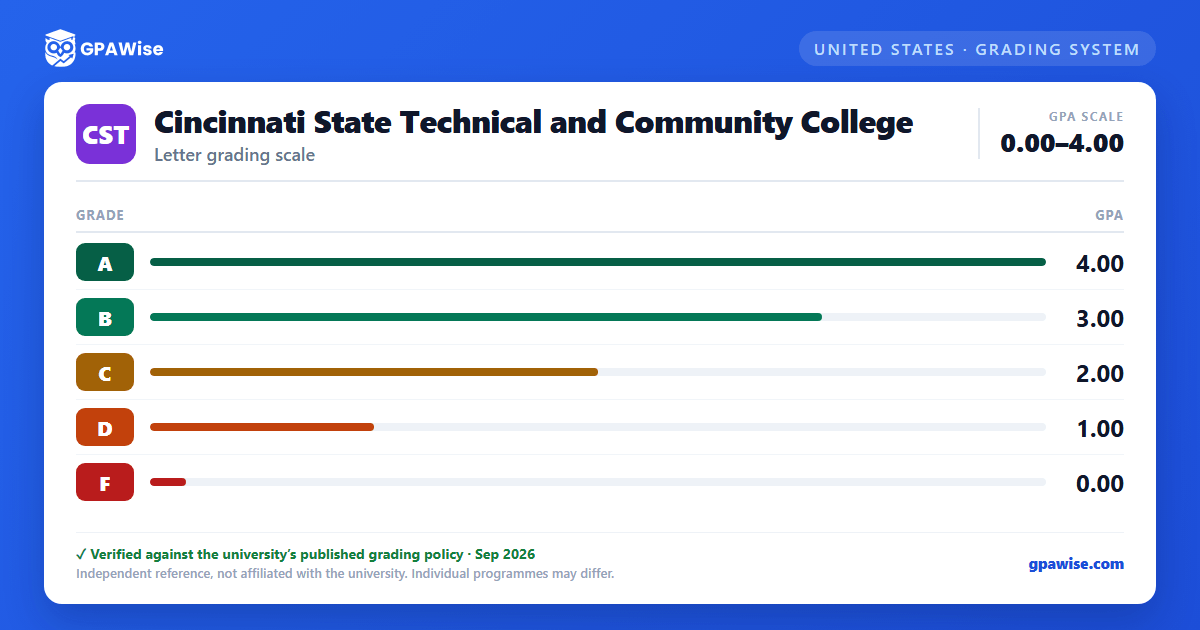
Cumulative GPA is calculated as total quality points earned divided by total credit hours attempted for courses bearing quality points. Semester GPA and Program GPA use the same formula, scoped respectively to the semester or to the courses listed in the student's Degree Audit curriculum.
Foundations-level Mathematics courses (numbered starting with 0, e.g. MAT 093) and English as a Second Language courses are not included in GPA calculations.
Grades of W, I, IP, N, S, U, and other non-letter symbols are not computed in the GPA. An unresolved Incomplete (I or IP) automatically converts to F or U if a final grade is not submitted by the last instructional day of the following semester. In the satisfactory/unsatisfactory (S/U) system, only a grade equivalent to C or higher counts as passing.
Source: Grading Policies, Cincinnati State Catalog 2026-2027 Edition — verified Aug 2026
Academic Standing
Students must maintain a minimum 2.0 cumulative GPA to remain in good academic standing. Standing is assessed in stages:
- Academic Warning: triggered by a semester GPA below 2.0 after attempting 12 or more college-level credits, or an F in a Developmental-level course (MAT 093, MAT 096, ESL 051, or ESL 052).
- Academic Probation: triggered by a cumulative GPA below 2.0 after attempting 12 or more college-level credits, or a repeated Developmental-level F.
- Academic Suspension: triggered while on probation by a subsequent-semester GPA below 2.0, or a repeated Developmental-level failure; a suspended student may not register for two semesters.
- Academic Dismissal: triggered if a student returning from suspension fails to reach a 2.0 cumulative GPA after attempting 24 college-level credits; a dismissed student may not register for three semesters.
A student returning from suspension must maintain at least a 2.0 semester GPA and earn C or higher in Developmental-level courses each subsequent semester, remaining on probation until cumulative GPA reaches 2.0.
Source: Grading Policies, Cincinnati State Catalog 2026-2027 Edition — verified Aug 2026
Dean's List and Academic Merit
Students earning 12 or more quality-point credit hours in a semester qualify for the Dean's List with a semester GPA of 3.5 or greater and no grade of I, IP, F, or U that semester. Students earning between 6 and 11 quality-point credit hours qualify for Academic Merit status under the same 3.5 GPA and grade conditions. Foundations-level Math and ESL courses are excluded from these GPA calculations.
Source: Grading Policies, Cincinnati State Catalog 2026-2027 Edition — verified Aug 2026
Frequently asked questions
What grading scheme does Cincinnati State Technical and Community College use?
Where does this Cincinnati State Technical and Community College grade scale come from?
What are Cincinnati State Technical and Community College's GPA rules?
Source: Grading Policies, Cincinnati State Catalog 2026-2027 Edition — verified Aug 2026
What are Cincinnati State Technical and Community College's academic standing rules?
Source: Grading Policies, Cincinnati State Catalog 2026-2027 Edition — verified Aug 2026
How are honors and awards decided at Cincinnati State Technical and Community College?
Source: Grading Policies, Cincinnati State Catalog 2026-2027 Edition — verified Aug 2026
