
Grading Scale and Grades That Don't Count Toward GPA
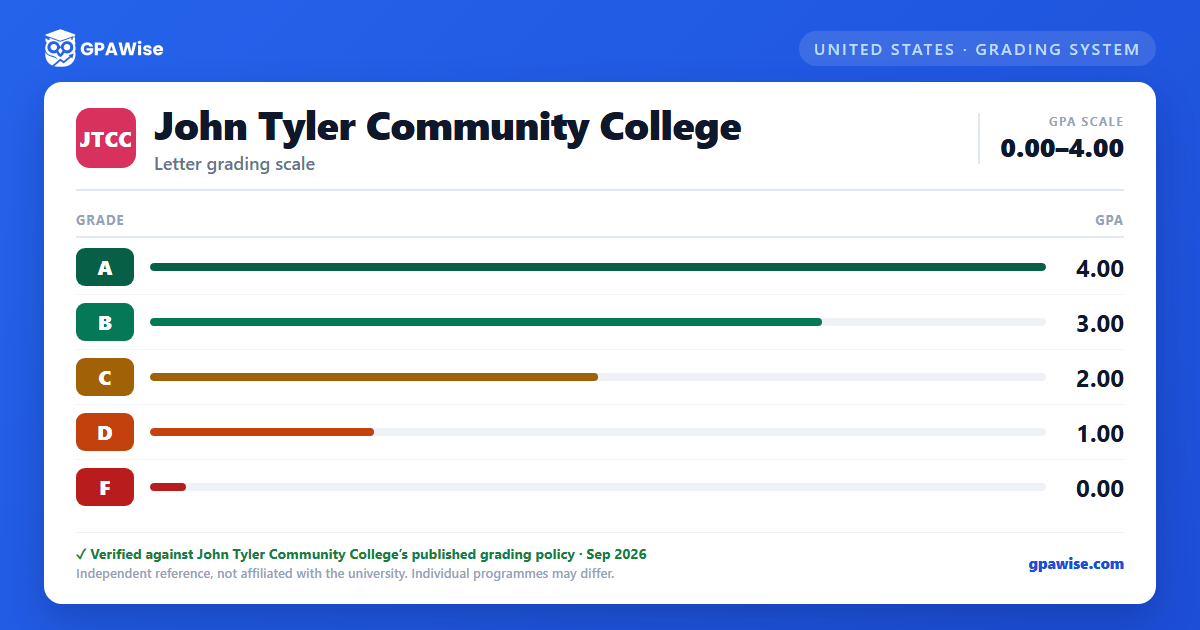
Brightpoint does not set a single college-wide percentage-to-letter scale — each instructor develops the grading scale for their own course, then reports it on the standard quality-point scale (A=4, B=3, C=2, D=1, F=0).
Several other notations carry no grade points and are excluded from the GPA: I (Incomplete), P (Pass/no-credit courses), W (Withdrawal), X (Audit), XY (Senior Citizen Audit), S (Satisfactory, Developmental Studies only), and U (Unsatisfactory, Developmental Studies only).
Source: 2026-2027 Catalog and Student Handbook, Academic Policies -- Grading System — verified Aug 2026
How Your GPA Is Calculated
Your GPA is the number of quality points earned divided by the total number of credits attempted; developmental (foundational) credits are excluded from this computation.
Repeating a course: students are normally limited to two enrollments in the same course. Effective Fall 2021, only the highest grade earned counts toward the GPA — earlier attempts remain on the transcript marked "Repeated Course" but drop out of the GPA calculation. (Some four-year institutions and selective programs, such as Nursing, may still consider all attempts for admission.)
Academic Renewal: a returning student (after a break of at least three years) who earns a 2.0 GPA in their first 12 credits back may request that prior D/F grades be excluded from the cumulative GPA — the coursework stays on the transcript but no longer counts.
Source: Academic Policies -- Grade Point Average / Credit for Repeated Courses / Academic Renewal — verified Aug 2026
Academic Warning, Probation, Suspension, and Dismissal
- Academic Warning: semester GPA below 2.0.
- Academic Probation: cumulative GPA below 1.50, lifted once it reaches 1.75 or better (applies only after 12+ credits attempted).
- Academic Suspension: a semester GPA below 1.50 while on probation (after 24+ credits attempted); one semester, with an appeal process available.
- Academic Dismissal: failing to reach a 2.0 GPA in the reinstatement semester after suspension, or failing to maintain at least 1.75 each subsequent semester until the cumulative GPA reaches 1.75.
Source: Academic Policies -- Academic Standing — verified Aug 2026
GPA Requirement for Graduation
A GPA between 1.50 and 1.99 may not trigger formal academic probation, but a minimum cumulative GPA of 2.0 in the student's curriculum is required to receive an associate degree, certificate, or career studies certificate.
Source: Academic Policies -- Satisfactory Progress — verified Aug 2026
Honors List, Dean's List, and Graduation Honors
Honors List: cumulative GPA of 3.5 or higher after completing 24 college credit hours at Brightpoint.
Dean's List: semester GPA of 3.2 or higher for a full-time student (12 or more college credits, excluding developmental credits).
Graduation Honors (after earning at least 30 credit hours or 50% of degree/certificate requirements at Brightpoint): Cum Laude at 3.2, Magna Cum Laude at 3.5, Summa Cum Laude at 3.8.
Source: Academic Policies -- Academic Honors: Honors List / Dean's List / Graduation Honors — verified Aug 2026
Transfer and Prior-Learning Credit
Students may earn credit by transferring coursework from other regionally accredited colleges or universities; through military or criminal-justice-academy training, workforce credentials, or industry/technology/health-services certifications; through qualifying scores on standardized tests and examinations; or through documented life-experience credit. A student must be admitted to the college and officially placed in a curriculum before applying for advanced credit.
Source: Academic Policies -- Credit for Prior Learning — verified Aug 2026
