
Grading Options and Repeat Policy
Students may take a limited number of courses on a Satisfactory/Unsatisfactory (S/U) basis: a maximum of ten semester credit hours toward an associate degree, with only one S/U course per semester. A grade of "C" or better is required to earn an "S"; the request must be submitted to the Student Service Center by the end of the fourth week of the semester, and the option cannot later be changed to a letter grade.
When a course is repeated, the best/highest grade earned is used to calculate the student's cumulative grade point average; all attempts remain on the transcript.
An Incomplete ("I") may be requested when a student is progressing satisfactorily but has not finished all coursework for reasons beyond their control; deadlines to clear an Incomplete vary by term, and an unresolved Incomplete automatically converts to an "F".
A "W" is recorded for a student-initiated withdrawal. An Administrative Withdrawal ("AW") is applied to students who have not attended a class during its first two weeks, occurring at the start of the third week of the semester.
Grade appeals are submitted to the course instructor and are considered only during the term immediately following the one in which the grade was assigned, except for spring-semester grades, which may be appealed during the following summer or fall term.
Source: Catalog 2026-2027, Grading System section (S/U, repeat, Incomplete, Withdrawal, and grade-appeal rules; not printed in the Grading Policies PDF itself) — verified Aug 2026
Frequently asked questions
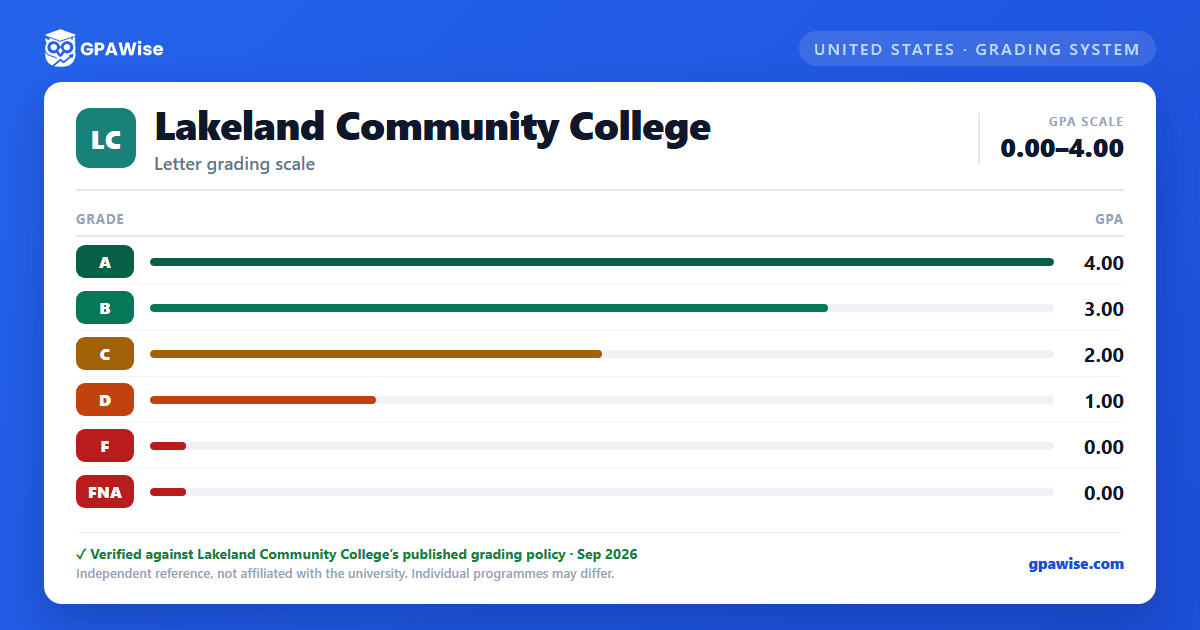
What grading scheme does Lakeland Community College use?
Where does this Lakeland Community College grade scale come from?
What are Lakeland Community College's GPA rules?
Source: Catalog 2026-2027, Grading System section (S/U, repeat, Incomplete, Withdrawal, and grade-appeal rules; not printed in the Grading Policies PDF itself) — verified Aug 2026
