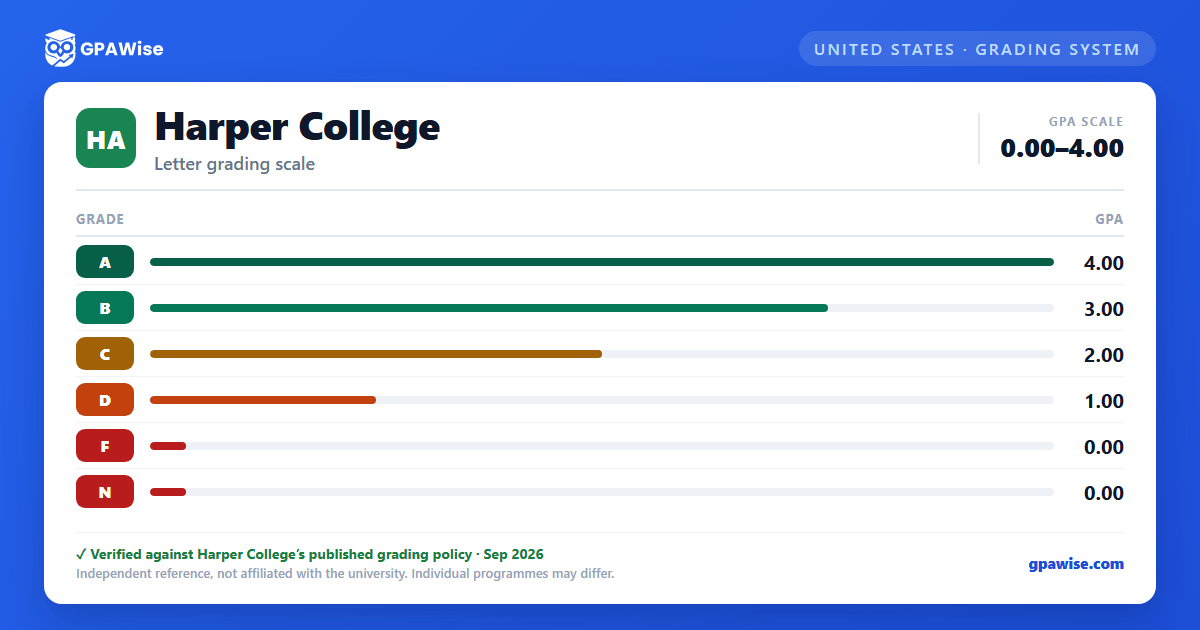

What Counts Toward Your GPA
The official GPA is computed on the basis of final grades awarded at the end of each semester or term. Grades of FG (F Grade Forgiven), H (Audit), IP (In Progress), NR (No grade submitted by instructor), NP (No Pass), NS (Administrative withdrawal), P (Pass), W (Withdrawal), and X (Incomplete) are not computed in the semester or cumulative GPA.
Coursework with an R designation after the grade (e.g. AR, BR, CR, DR) indicates a developmental course and is excluded from the GPA; coursework with a V designation (e.g. AV, BV, CV, DV) indicates a vocational skills course and is likewise excluded. CRD credit (AP, CLEP, Proficiency, or Articulated credit) is also not included in the GPA, and all Communication Skills and English as a Second Language coursework is excluded regardless of grade.
A grade of X (Incomplete) must be satisfactorily completed by the midterm of the following 16-week semester or it converts to a grade of F.
Source: official document — verified Aug 2026
Transfer Credit
Transfer credit is designated with a T followed by the letter grade originally earned in the course (A, B, C, or D). Only the credit hours are accepted toward the degree — the grade itself is not counted in the GPA. Prior to Spring 2009, transfer credit was designated with a T grade alone.
Source: official document — verified Aug 2026
Frequently asked questions
What grading scheme does Harper College use?
Where does this Harper College grade scale come from?
What are Harper College's GPA rules?
Source: official document — verified Aug 2026
How does Harper College treat transfer credit?
Source: official document — verified Aug 2026
