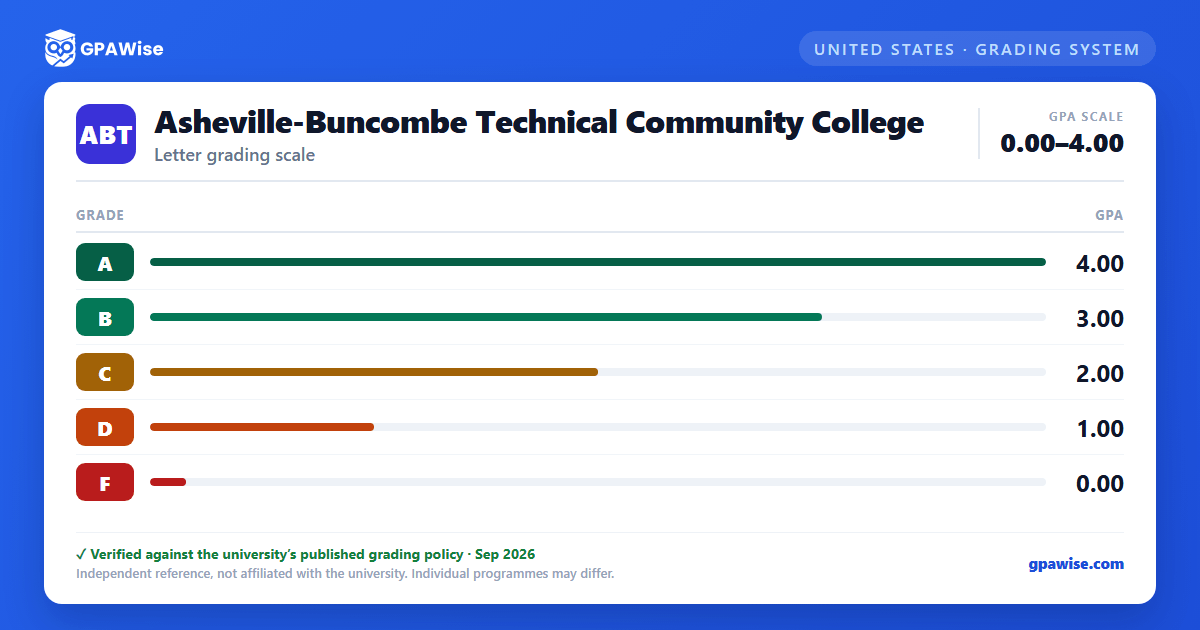

How Final Grades Are Assigned
Final grades are issued to all students at the end of the term based on the criteria outlined in each course's syllabus. A student who wants to appeal a grade must do so within three weeks of the grade being awarded; after that period, a grade change requires approval from the department chair and the division dean.
Source: Catalog 2026-2027, p.83, Grading System — verified Aug 2026
Repeated Courses
Students may repeat a course; only the higher grade counts toward the cumulative GPA, though both grades remain on the official A-B Tech transcript. Only a grade of "D" or above can replace an existing grade. A course that has been passed or audited may not be taken for credit or audited more than twice per academic year.
Source: Catalog 2026-2027, p.83, Course Repetition — verified Aug 2026
Academic Warning and Probation
Students whose cumulative GPA falls below 2.0 after attempting twelve credit hours (excluding developmental courses) are placed on Academic Warning. Students below 2.0 for two successive semesters move to Academic Probation: Level One; a further semester below 2.0 moves them to Academic Probation: Level Two, which restricts enrollment to one course and requires a Support Plan.
Source: Catalog 2026-2027, pp.85-86, Standards for Academic Progress — verified Aug 2026
Minimum GPA for Graduation
The minimum program grade-point average required for graduation is 2.00, equivalent to an average grade of "C."
Source: Catalog 2026-2027, p.84, Quality Points — verified Aug 2026
Dean's List, President's List, and Graduation Honors
Students enrolled in an academic program with at least eight curriculum credit hours qualify for the Dean's List with a minimum 3.75 semester GPA; the President's List requires a 4.0 semester GPA with at least twelve curriculum credit hours. At graduation, a program GPA of 4.0 earns Highest Honors, at least 3.75 earns High Honors, and at least 3.5 earns Honors.
Source: Catalog 2026-2027, pp.86-87, Honors and Achievements / Requirements for Graduation — verified Aug 2026
Transfer Credit Policy
Only grades of "C" or better are considered for transfer credit. Transferred credit is assigned without quality points and is not calculated into a student's A-B Tech grade point average; if the same course is also taken at A-B Tech, the local grade is what counts toward the GPA.
Source: Catalog 2026-2027, p.30, Transfer Credit from Other Institutions — verified Aug 2026
Frequently asked questions
What grading scheme does Asheville-Buncombe Technical Community College use?
Where does this Asheville-Buncombe Technical Community College grade scale come from?
What are Asheville-Buncombe Technical Community College's GPA rules?
Source: Catalog 2026-2027, p.83, Course Repetition — verified Aug 2026
What are Asheville-Buncombe Technical Community College's academic standing rules?
Source: Catalog 2026-2027, pp.85-86, Standards for Academic Progress — verified Aug 2026
What does Asheville-Buncombe Technical Community College require to graduate?
Source: Catalog 2026-2027, p.84, Quality Points — verified Aug 2026
How are honors and awards decided at Asheville-Buncombe Technical Community College?
Source: Catalog 2026-2027, pp.86-87, Honors and Achievements / Requirements for Graduation — verified Aug 2026
How does Asheville-Buncombe Technical Community College treat transfer credit?
Source: Catalog 2026-2027, p.30, Transfer Credit from Other Institutions — verified Aug 2026
