
Grading System Overview
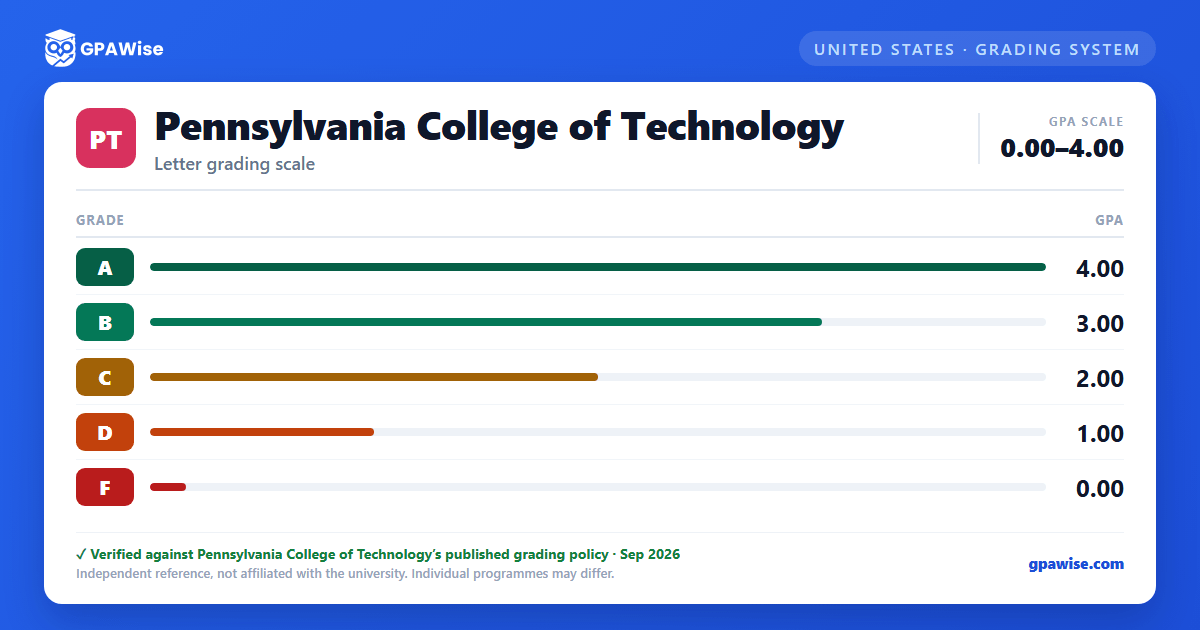
Penn College uses a 4.0-basis letter grading system: A (Superior, 4), B (Above Average, 3), C (Average, 2), D (Below Average, 1), and F (Failing, 0). Some majors — and all developmental math courses — restrict this to an A, B, C, F scale for some or all required courses; under that restriction a D is not a passing grade and is recorded as an F on the transcript.
Source: Penn College, Grading System catalog page (pct.edu), accessed 2026-09-05. — verified Sep 2026
How the GPA Is Calculated
GPA is calculated by multiplying each grade's point value (A=4, B=3, C=2, D=1) by the course's credit hours, summing the results, and dividing by total credits attempted. A course graded W (withdrawn) is not included in total credits attempted. When a course is repeated, it is counted only once toward total credits attempted, and the higher grade is used to calculate grade points earned; semester GPAs themselves are not recalculated after a repeat. If a student switches majors, grades for courses not required by the new major are not figured into the graduation GPA.
Source: Penn College, Understanding GPA page; major-switch detail from Academic Standing page (pct.edu), accessed 2026-09-06. — verified Sep 2026
Academic Standing
Good standing requires no disciplinary sanction, no unsatisfied financial obligation, and no active probation, suspension, or dismissal. A cumulative enrollment GPA below 2.0 places a student on academic probation. A student is academically suspended if the first-semester cumulative enrollment GPA is below 1.0 (after attempting at least six credits) — a suspension that cannot be appealed — or if the cumulative enrollment GPA is below 2.0 in any three semesters, sequential or otherwise. A developmental course may be repeated only once before academic suspension follows a second failing attempt; a non-developmental course may be repeated twice before suspension follows a third failing attempt. Under academic renewal, previously satisfied required coursework graded C or higher and less than 10 years old may carry forward.
Source: Penn College, Academic Standing page (pct.edu/academics/academic-affairs/academic-standing), accessed 2026-09-06; policies P 4.27/PR 4.27, P 4.28/PR 4.28. — verified Sep 2026
Transfer Credit and GPA
Credits transferred from another institution are marked "EXTRANS" on the transcript; grades earned at other institutions are not used to calculate a student's Penn College GPA.
Source: Penn College, Understanding GPA page (pct.edu/academics/academic-affairs/understanding-grade-point-average-gpa), accessed 2026-09-06. — verified Sep 2026
Frequently asked questions
What grading scheme does Pennsylvania College of Technology (Penn College) use?
Where does this Penn College grade scale come from?
What are Penn College's GPA rules?
Source: Penn College, Understanding GPA page; major-switch detail from Academic Standing page (pct.edu), accessed 2026-09-06. — verified Sep 2026
What are Penn College's academic standing rules?
Source: Penn College, Academic Standing page (pct.edu/academics/academic-affairs/academic-standing), accessed 2026-09-06; policies P 4.27/PR 4.27, P 4.28/PR 4.28. — verified Sep 2026
How does Penn College treat transfer credit?
Source: Penn College, Understanding GPA page (pct.edu/academics/academic-affairs/understanding-grade-point-average-gpa), accessed 2026-09-06. — verified Sep 2026
