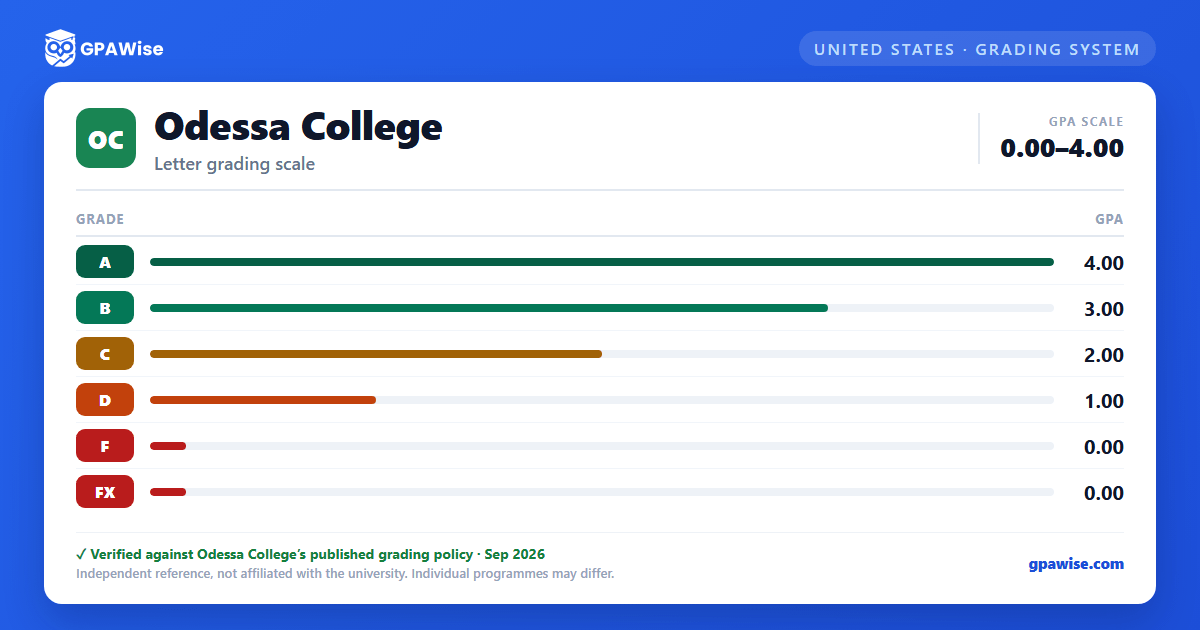

How GPA Is Calculated
Odessa College computes two grade point averages: the semester GPA and the cumulative institutional GPA. For each course, the semester hours are multiplied by the grade points for the final grade; these products are summed and divided by the semester hours attempted for the period. The cumulative institutional GPA divides the total grade points earned by the total semester hours attempted for all courses taken at Odessa College. Grades of "W" (official withdrawal) are not included in the GPA calculation.
Source: GPA and Scholastic Standards, 2026-2027 Academic Catalog — verified Sep 2026
Grade Replacement and Incomplete Grades
If a course is repeated, the latest grade is computed in the GPA only if the student requests this option at the Records Office — it is not automatic. Some institutions to which a student transfers may not exclude the first grade when calculating GPA.
A grade of "I" (Incomplete) is changed to an "F" if the required work is not completed and submitted to the instructor by the end of the long semester following the one in which the "I" was assigned.
Source: Grades, 2026-2027 Academic Catalog — verified Sep 2026
Scholastic Probation and Suspension
Students are in good standing as long as they maintain a semester or cumulative GPA of 2.0 or higher. A student whose semester GPA falls below 2.0 is placed on scholastic probation if the cumulative GPA is also below 2.0. A student returns to good standing by earning a GPA of 2.0 or higher, on a semester or cumulative basis, the next semester of enrollment.
A student on scholastic probation who does not earn a GPA of 2.0 the next semester, or by the end of that semester on a cumulative basis, is placed on scholastic suspension. A suspended student may appeal for immediate re-admission under a personalized success plan; a second suspension can bar enrollment for the next two semesters, and a third suspension requires approval from the vice president for instruction.
Source: GPA and Scholastic Standards, 2026-2027 Academic Catalog — verified Sep 2026
Graduation GPA Requirement
All Odessa College degree and certificate plans require a graduation GPA of 2.0 or higher. The graduation GPA is calculated by dividing total grade points by total semester hours attempted, excluding developmental courses.
Source: GPA and Scholastic Standards, 2026-2027 Academic Catalog — verified Sep 2026
Honor Roll
Students earning a grade of "A" in all courses during a long semester are named to the President's Honor Roll; students earning no grade lower than "B" are named to the Dean's Honor Roll. Both full-time and half-time (6 or more semester hours) students are eligible. Honor roll status appears on official and unofficial transcripts and is also published each term in the Odessa American newspaper and on the Odessa College website.
Source: Grades, 2026-2027 Academic Catalog — verified Sep 2026
Frequently asked questions
What grading scheme does Odessa College (OC) use?
Where does this OC grade scale come from?
What are OC's GPA rules?
Source: Grades, 2026-2027 Academic Catalog — verified Sep 2026
What are OC's academic standing rules?
Source: GPA and Scholastic Standards, 2026-2027 Academic Catalog — verified Sep 2026
What does OC require to graduate?
Source: GPA and Scholastic Standards, 2026-2027 Academic Catalog — verified Sep 2026
How are honors and awards decided at OC?
Source: Grades, 2026-2027 Academic Catalog — verified Sep 2026
