
Other grading symbols
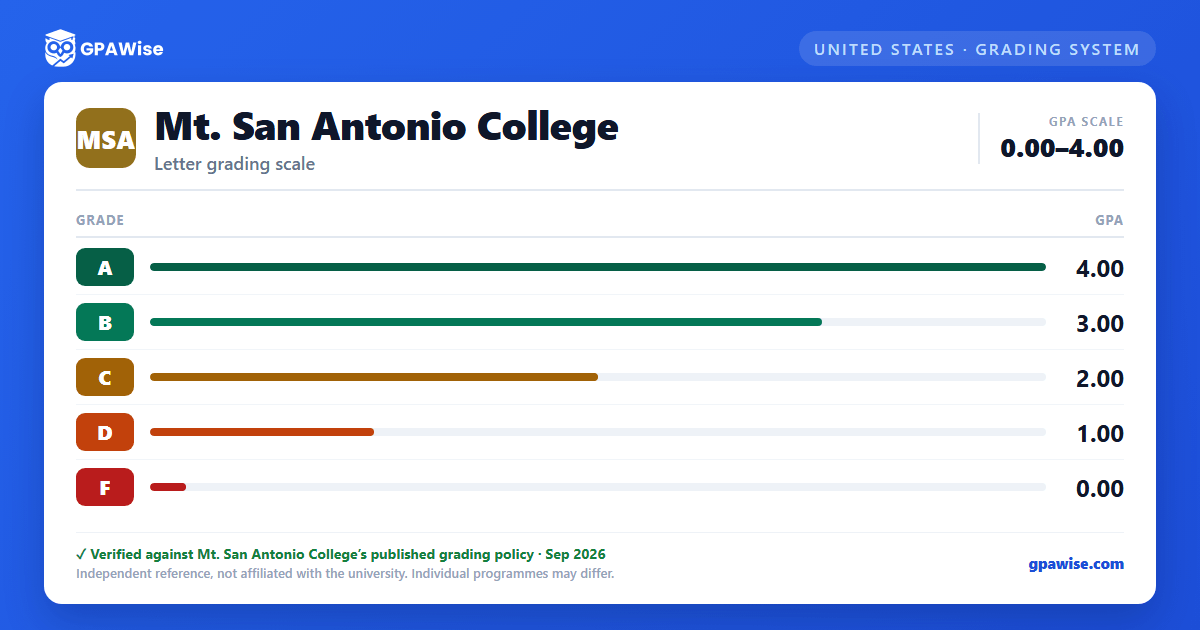
Beyond the A–F point scale, Mt. SAC uses several non-evaluative symbols that carry no grade points and are not counted in the GPA: Pass (at least equivalent to a "C"), NP (Not Passing, equivalent to a "D" or "F"), IP (In Progress, for classes extending beyond the term), RD (Report Delayed), W (Withdrawal), MW (Military Withdrawal), and EW (Excused Withdrawal).
Source: Academic Policies & Requirements, Grading System section — verified Sep 2026
Academic Renewal
Under Academic Renewal, up to 30 units of previously recorded substandard coursework may be alleviated. The coursework remains on the transcript but is annotated and excluded from the GPA. To qualify, the student's cumulative GPA at the time of the request must be at least 3.0 for 18 semester units, 2.5 for 24 units, or 2.0 for 30 units disregarded.
Source: Academic Policies & Requirements, Academic Renewal (BP/AP 4240) — verified Sep 2026
Academic and Progress Notice
A student is placed on Academic Notice after attempting at least 12 units with a cumulative GPA below 2.0, or on Progress Notice once at least 50% of attempted units carry W, I, NC, NP, and/or NPV. Notice clears once cumulative GPA reaches 2.0 or higher (Academic Notice) or the W/I/NC/NP/NPV percentage drops below 50% (Progress Notice). After three consecutive semesters of Notice, a student is placed on Pause for at least one semester, appealable through the Counseling Department. Restart after a Pause requires a Counseling Department request and a counseling-intervention contract.
Source: Academic Policies & Requirements, Notice and Pause Status (BP/AP 4250, AP 4255) — verified Sep 2026
GPA-bearing units for the Associate Degree
Of the 60 units required for the Associate Degree, at least 24 units must be earned in courses that contribute to the grade point average.
Source: Academic Policies & Requirements, Credit for Extra-Institutional Learning (AP 4285) — verified Sep 2026
GPA-based honors
President's List: a 3.50 or better GPA in a minimum of 12 letter-graded, degree-applicable units in a semester. Dean's List: a 3.0–3.49 GPA under the same unit requirement. At graduation: Academic Distinction for an overall GPA of 4.00, Scholastic Honor for 3.90–3.99, and With Honors for 3.75–3.89.
Source: Academic Policies & Requirements, Academic Honors / Graduation Honors — verified Sep 2026
Frequently asked questions
What grading scheme does Mt. San Antonio College (Mt.SAC) use?
Where does this Mt.SAC grade scale come from?
What are Mt.SAC's GPA rules?
Source: Academic Policies & Requirements, Academic Renewal (BP/AP 4240) — verified Sep 2026
What are Mt.SAC's academic standing rules?
Source: Academic Policies & Requirements, Notice and Pause Status (BP/AP 4250, AP 4255) — verified Sep 2026
What does Mt.SAC require to graduate?
Source: Academic Policies & Requirements, Credit for Extra-Institutional Learning (AP 4285) — verified Sep 2026
How are honors and awards decided at Mt.SAC?
Source: Academic Policies & Requirements, Academic Honors / Graduation Honors — verified Sep 2026
