
How Your GPA Is Calculated
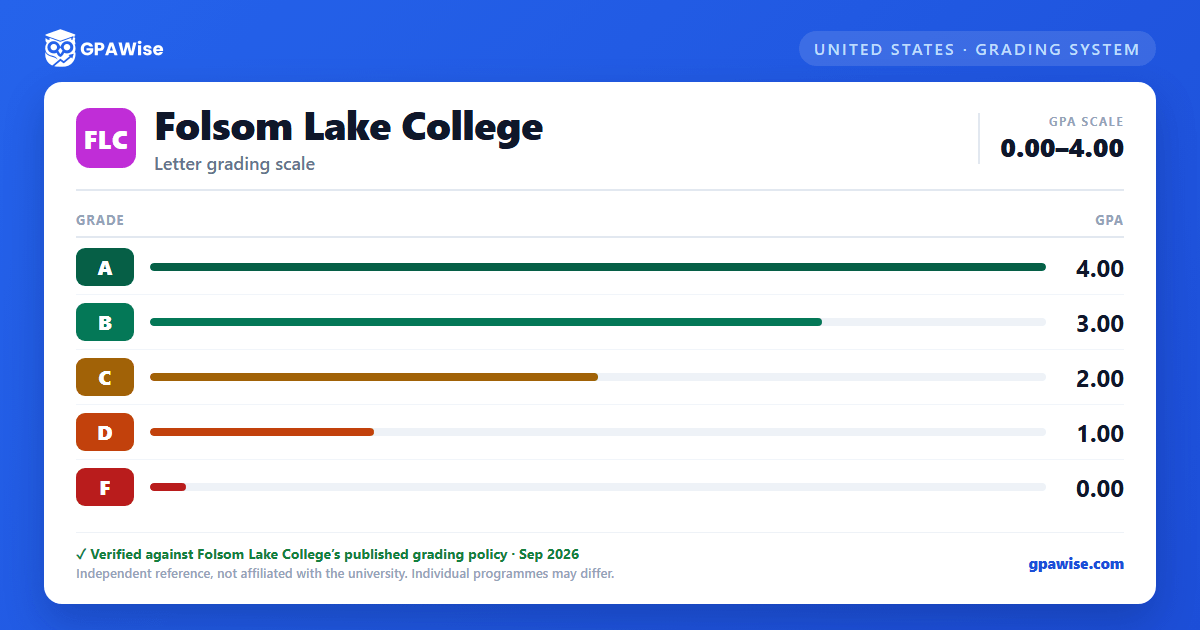
Your grade point average (GPA) is found by taking the total grade points earned divided by the total units attempted with a letter grade.
Pass/No Pass (P/NP) grading is available for eligible courses by petition before the published deadline: an A, B, or C grade is recorded as "P," and a D or F grade is recorded as "NP." Units taken P/NP are not computed in the GPA.
Source: Grading Policies & Academic Regulations page — verified Aug 2026
Good Standing, Academic Renewal, and Course Repetition
Good standing requires completing 12 or more semester units, earning a GPA of at least 2.0 on the 4.0 scale, and completing more than 50 percent of enrolled units; students in good standing are limited to 18 units per semester.
Students may petition for academic renewal to discount up to a districtwide maximum of 30 units of substandard grades ("D," "F," or "NP") from the GPA, provided at least 12 consecutive months have elapsed and at least 12 subsequent semester units were completed with a "C" or better. Discounted courses remain visible on the transcript but are excluded from the GPA calculation.
A course with a substandard grade ("D," "F," "NC," or "NP") may be repeated up to two times; only the grade and credits from the final enrollment are used to compute grade points for that course.
Source: Grading Policies & Academic Regulations page — verified Aug 2026
Academic Honors
Students enrolled in 12 or more units who earn a semester GPA of at least 3.0 receive honors, and 3.5 or higher receives highest honors; students earning highest honors are notified of eligibility to join Phi Theta Kappa.
Graduation with honors requires a cumulative GPA of 3.0 or better; graduation with highest honors requires 3.5 or better.
Source: Grading Policies & Academic Regulations page — verified Aug 2026
Frequently asked questions
What grading scheme does Folsom Lake College (FLC) use?
Where does this FLC grade scale come from?
What are FLC's GPA rules?
Source: Grading Policies & Academic Regulations page — verified Aug 2026
What are FLC's academic standing rules?
Source: Grading Policies & Academic Regulations page — verified Aug 2026
How are honors and awards decided at FLC?
Source: Grading Policies & Academic Regulations page — verified Aug 2026
