
How grading works at the University of Newcastle
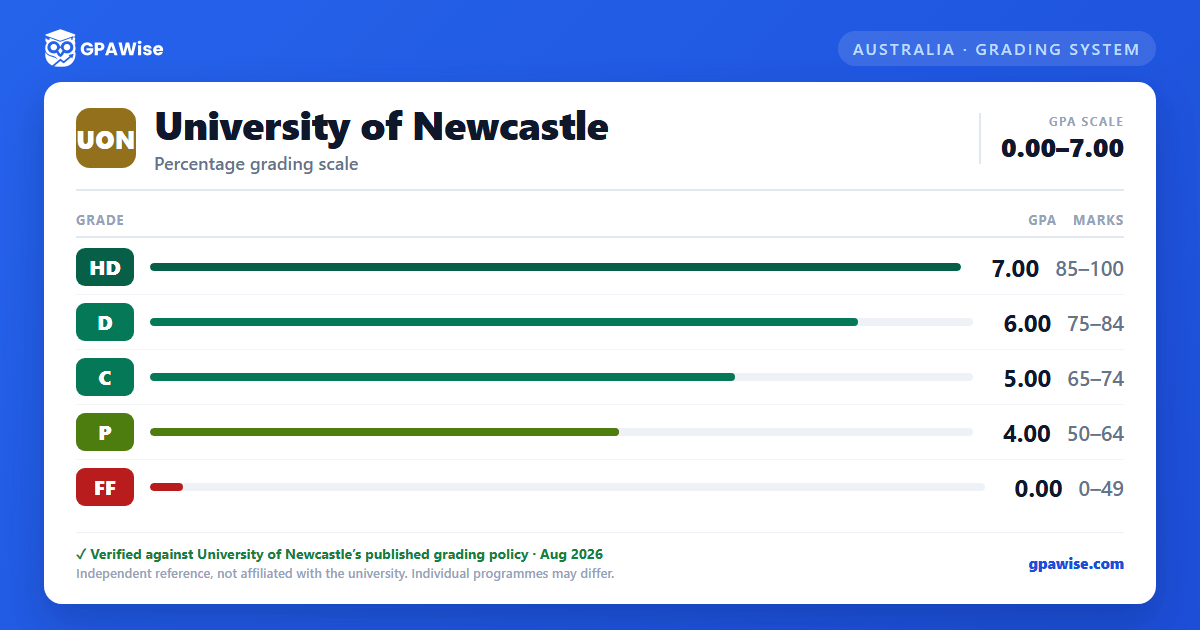
UON grades coursework (other than Bachelor Honours) on a five-band scale, each band carrying a fixed point on a 0–7 GPA scale:
| Marks | Grade | GPA points |
|---|---|---|
| 85–100 | High Distinction (HD) | 7 |
| 75–84 | Distinction (D) | 6 |
| 65–74 | Credit (C) | 5 |
| 50–64 | Pass (P) | 4 |
| 0–49 | Fail (FF) | 0 |
An Ungraded Pass (UP) is awarded in courses marked pass/fail only, with no marks provided; by default it is excluded from your GPA (see below). UON also uses administrative codes that carry no grade point: I (Incomplete), S (Special Consideration), NA (Not Applicable, some Research Higher Degree components), W (Withdrawn), WS (Withdrawn Special Circumstances) and EX (Credit Awarded).
Source: Grading Scales and Administrative Codes, Course Management and Assessment Manual appendix, Oct 2022 — verified Aug 2026
How your UON GPA is calculated
Your Grade Point Average is GPA = Σ(unit value × grade) / Σ unit value, calculated across all completed units in your program (including fail grades) and rounded to one decimal place — a result at or below x.49 rounds down, x.50 or above rounds up. It applies to all undergraduate and postgraduate coursework programs and courses.
Only units completed at the University of Newcastle count. Units from an external institution (including cross-institutional study or credit) are excluded; units beyond your program's maximum, or extraneous re-enrolments, are excluded; if you pass the same course twice due to an administrative error, the grade from your first completion is used, not the higher mark.
Ungraded Pass (UP) grades are excluded from the GPA by default. They're only included if doing so would advantage you (when your GPA would otherwise be below 4.0), or if more than half of your grades are ungraded passes — and even then, UP is counted at the same value as a Pass (4), not a separate rate.
If you're awarded 'Incomplete' (I) or 'Special Consideration' (S) for a course, your GPA remains uncalculated until a final mark is awarded.
Source: Grade Point Average (GPA) Calculation Procedure, Section 4 (Procedure) — verified Aug 2026
Bachelor Honours classification at UON
For End-on Honours degrees, your Honours class is based on your combined percent results across your Honours courses (including the final research component):
- Class I — 85% or above
- Class II, Division 1 — 75% to 84%
- Class II, Division 2 — 65% to 74%
- Class III — 50% to 64% (End-on Honours only)
- Fail — 0% to 49%
For Embedded Honours (Honours built into the underlying degree), your class is based on your Weighted Average Mark (WAM) instead:
- Class I — WAM 77–100
- Class II, Division 1 — WAM 72–76
- Class II, Division 2 — WAM 67–71
- Ungraded — WAM below 67
Source: Grading Scales and Administrative Codes, Sections 2-3 (End-on / Embedded Honours) — verified Aug 2026
Frequently asked questions
What grading scheme does University of Newcastle (UON) use?
Where does this UON grade scale come from?
What are UON's GPA rules?
Source: Grade Point Average (GPA) Calculation Procedure, Section 4 (Procedure) — verified Aug 2026
How are honours and awards decided at UON?
Source: Grading Scales and Administrative Codes, Sections 2-3 (End-on / Embedded Honours) — verified Aug 2026
