Incomplete Grades
An "I" (Incomplete) may be assigned at the instructor's discretion when a student was unable to complete all requirements necessary to achieve the passing grade level attempted. Students who receive an Incomplete must satisfy all outstanding course requirements as determined by the instructor no later than the end of the next long term (Fall or Spring). Failure to do so results in a final grade of "F" or "NP" for the course.
Source:
Grading System page, 2026-2027 Catalog — verified Sep 2026
Repeated Courses
When a course is repeated, the most recent grade received is applied to degree plan requirements, as applicable, and as part of the student's cumulative grade point average.
Source:
Grading System page, 2026-2027 Catalog — verified Sep 2026
Frequently asked questions
What grading scheme does South Texas College use?
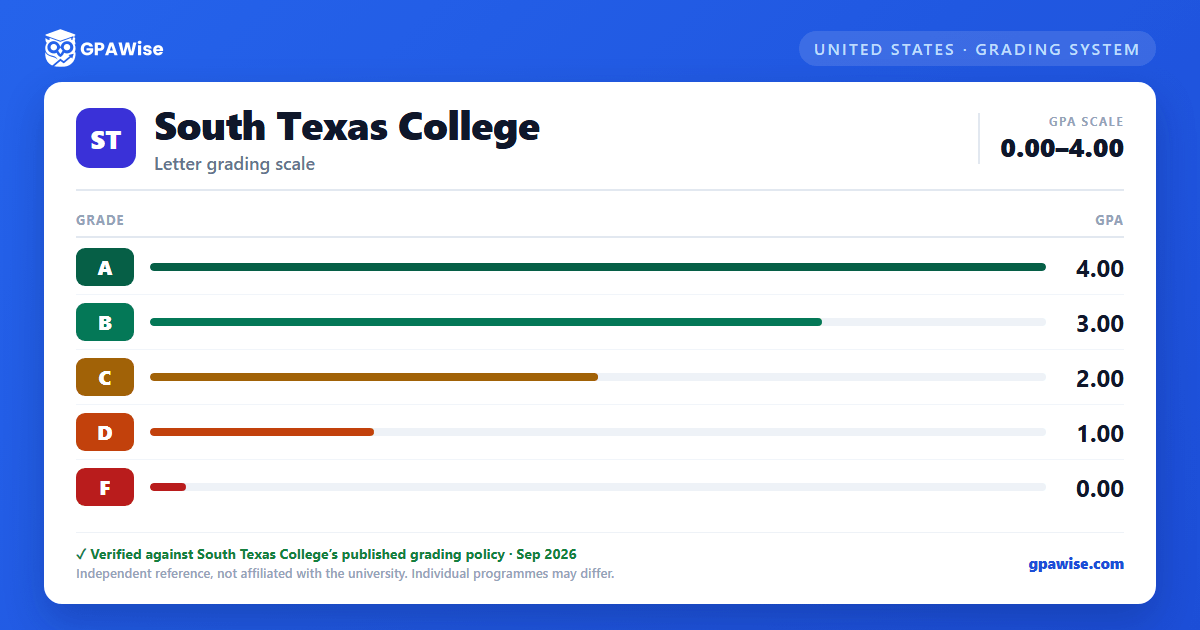
The university uses a letter-grade grading system on a 0.0–4.0 scale with 5 grade levels: A = 4.00, B = 3.00, C = 2.00, D = 1.00, F = 0.00.
Where does this South Texas College grade scale come from?
From the university's official grading policy, published at catalog.southtexascollege.edu. The grade table on this page is the one the policy sets out, verified Sep 2026.
What are South Texas College's GPA rules?
When a course is repeated, the most recent grade received is applied to degree plan requirements, as applicable, and as part of the student's cumulative grade point average.
Source: Grading System page, 2026-2027 Catalog — verified Sep 2026
How do I convert semester GPA to cumulative GPA at South Texas College?
Your cumulative GPA is the credit-weighted average of your semester GPAs across every semester: (semester GPA₁ × credits₁ + … + semester GPAₙ × creditsₙ) ÷ (credits₁ + … + creditsₙ). Save each semester to the tracker on this page, by course or as a quick semester GPA + credits entry, and it works out your cumulative GPA on every save, edit and delete.
Is this South Texas College GPA calculator free, and is my data private?
Yes. GPAWise is free, with no signup, and your courses and saved semesters stay in your browser: nothing is sent to our servers. "Clear all tracker data" on the tracker wipes them at any time.