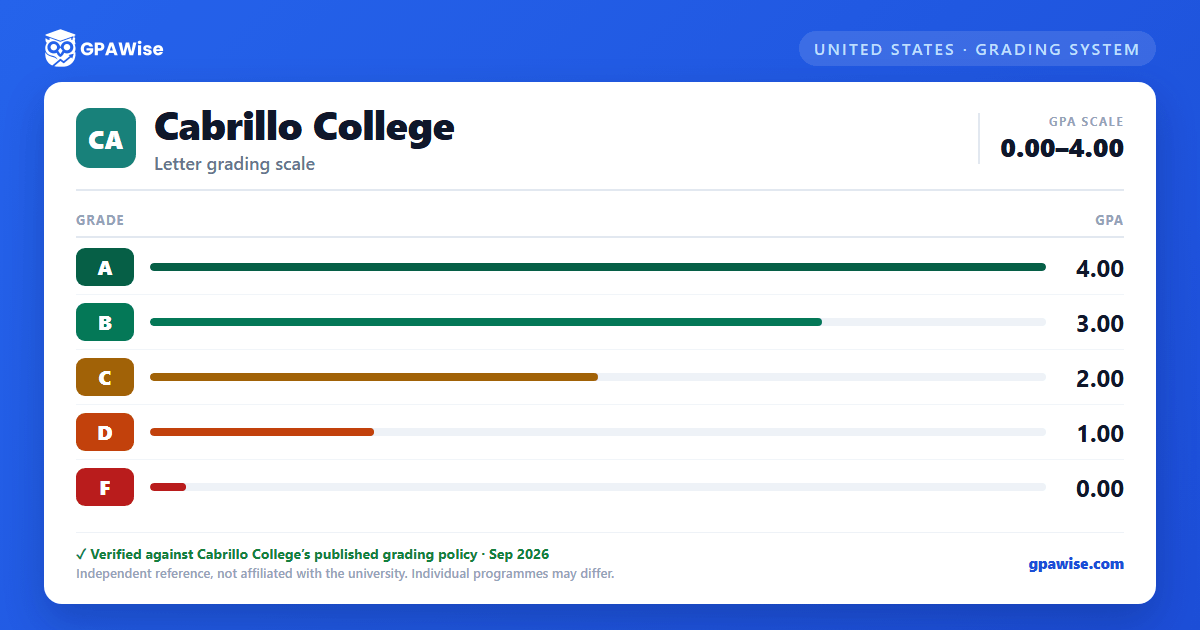

How Your Cabrillo GPA Is Calculated
Your grade point average is calculated by dividing the total number of grade points earned by the total number of units attempted.
- Grades of “F” are counted when determining your GPA.
- Pass (P) and No Pass (NP) grades are not included in the GPA calculation, though the units may still count toward progress standing.
- Grades earned in non-degree-applicable courses are not included in the GPA calculation.
Source: Cabrillo College Catalog 2026-2027, Units and Grading section. — verified Aug 2026
Good Standing, Probation, and Course Repeats
You are considered in good academic standing at Cabrillo College if you maintain a cumulative GPA of 2.0 or higher and complete more than 50% of your attempted units with grades of A, B, C, or W. Academic standing is recalculated after every 12 units attempted and applied to your next registration period.
Excessive No Pass, Incomplete, or Withdrawal grades can place you on probation.
Course withdrawals are limited by state regulation: you may withdraw from the same course with a “W” grade at most twice. Your third enrollment in that course must result in a letter grade, and only three attempts to pass a course are allowed in total.
Source: Cabrillo College Catalog 2026-2027, Units and Grading section. — verified Aug 2026
Frequently asked questions
What grading scheme does Cabrillo College use?
Where does this Cabrillo College grade scale come from?
What are Cabrillo College's GPA rules?
Source: Cabrillo College Catalog 2026-2027, Units and Grading section. — verified Aug 2026
What are Cabrillo College's academic standing rules?
Source: Cabrillo College Catalog 2026-2027, Units and Grading section. — verified Aug 2026
