
How grades count toward your GPA
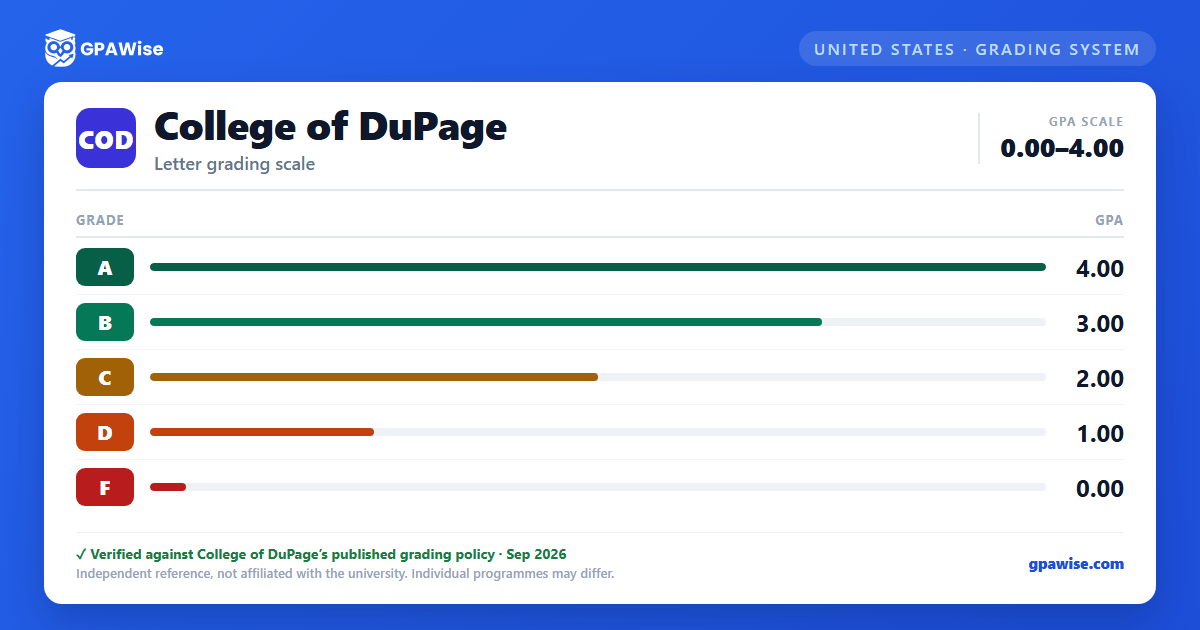
Only letter grades A, B, C, D, and F carry grade points (4, 3, 2, 1, and 0 per semester hour of credit) and count toward the cumulative GPA.
- S (Satisfactory), I (Incomplete), R (Repeat indicator), W (Withdrawal), N, and X (Audit) are not included in the GPA, though they appear on the transcript.
- An Incomplete ('I') is excluded from the GPA while outstanding, but automatically converts to an F — which then counts — if not resolved within 12 months.
- Courses numbered below 1000 are excluded from the GPA regardless of grade earned.
- If a course is repeated, the transcript shows an 'R' next to the grade and only the retained attempt counts toward the cumulative GPA as of the term it was retaken.
Source: College of DuPage 2026-2027 Catalog, Academic Policies and Procedures — verified Aug 2026
Academic standing thresholds
College of DuPage measures academic standing against a cumulative GPA of 2.00:
- Good Standing — cumulative GPA of 2.00 or higher.
- Academic Warning — fewer than 12 attempted COD credit hours and cumulative GPA below 2.00.
- Academic Probation I — 12 or more attempted hours with cumulative and semester GPA below 2.00; registration is restricted until a counselor meeting and until cumulative GPA reaches 2.00.
- Academic Probation II — one semester on Probation I with cumulative and semester GPA still below 2.00.
- Academic Suspension I — one semester on Probation II with cumulative and semester GPA still below 2.00; suspended for one fall or spring semester.
- Academic Suspension II — one semester on Suspension I with cumulative and semester GPA still below 2.00; suspended for 12 consecutive months.
At every stage, the registration restriction lifts once the cumulative GPA reaches 2.00 or higher.
Source: College of DuPage 2026-2027 Catalog, Academic Policies and Procedures — verified Aug 2026
Academic and graduation honors
Academic Honors (awarded each semester) requires good academic standing, at least 6 credit hours of 1000-level-or-above coursework, no current Incomplete grade, and a semester GPA of 3.50 to 4.00 inclusive.
Graduation Honors (shown on the diploma, and on the transcript since fall 2014) are based on cumulative College of DuPage GPA:
- Highest Honors — cumulative GPA of 4.00 and at least 40 credits earned at College of DuPage.
- High Honors — cumulative GPA of 3.60 to 4.00.
- Honors — cumulative GPA of 3.20 to 3.59.
Students must take at least 8 semester hours of letter-graded credit (excluding 'S') to be eligible for graduation honors.
Source: College of DuPage 2026-2027 Catalog, Academic Policies and Procedures — verified Aug 2026
Frequently asked questions
What grading scheme does College of DuPage (COD) use?
Where does this COD grade scale come from?
What are COD's GPA rules?
Source: College of DuPage 2026-2027 Catalog, Academic Policies and Procedures — verified Aug 2026
What are COD's academic standing rules?
Source: College of DuPage 2026-2027 Catalog, Academic Policies and Procedures — verified Aug 2026
How are honors and awards decided at COD?
Source: College of DuPage 2026-2027 Catalog, Academic Policies and Procedures — verified Aug 2026
