
Using HCC's Grading Scheme

Hopkinsville Community College (HCC) Grading System

Verified against HCC’s official grading policy catalog.kctcs.edu — the grade table below is the one the institution publishes. Verified Sep 2026.

Grade Scale Reference

See grade values & mark ranges
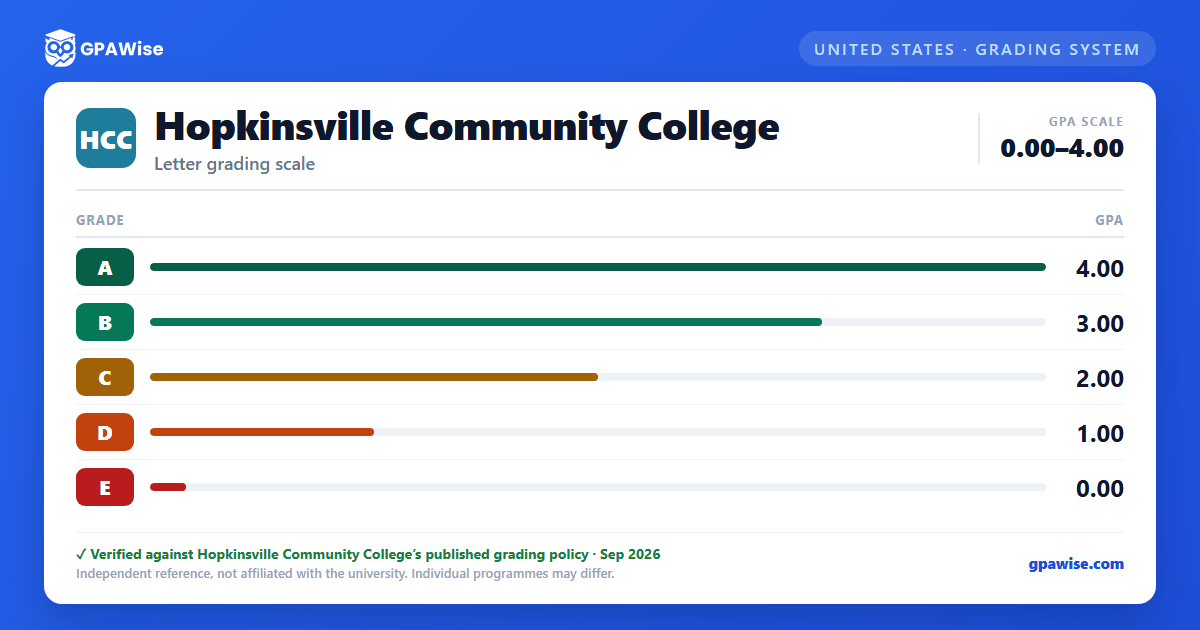
Grade GPA Value
A 4.00
B 3.00
C 2.00
D 1.00
E 0.00

Report an error in this scheme

Hopkinsville Community College grading scheme — grade and GPA value
The grade scale as an image — handy for saving or sharing.
Your GPA updates as you type — no submit button needed.

GPA Results

Semester GPA
on a 0.00 - 4.00 scale
0.00 4.00
0 credits

Performance Summary

Course Details

Course Credits Grade Grade Value Points
Total Credits: 0 Total Points: 0.00
Aiming for a specific CGPA? Try the Hopkinsville Community College (HCC) Target GPA Calculator Work out the average GPA you'll need next semester to reach your goal.

How Your GPA Is Calculated

Your GPA is the ratio of total grade points earned to total credit hours attempted, excluding courses taken on a pass/fail basis and courses graded W, I, or IP.

If you repeat a course, the highest grade earned counts as the official grade and is the only one included in your cumulative GPA — credit counts only once toward your credential.

Students readmitted after being out of KCTCS for two or more years, who complete at least 12 credit hours at a 2.0 GPA or better after readmission, may declare academic bankruptcy: none of the coursework attempted before the interruption is counted in the GPA (though credit for passing grades is retained). This option may be used only once.

Source: KCTCS Catalog 2026-2027, Academic Related Policies and Rules — verified Aug 2026

Academic Probation and Suspension

A cumulative GPA below 2.0 at the end of a term places a student on academic probation; reaching a 2.0 cumulative GPA removes it.

A student on probation for two consecutive terms who does not reach a 2.0 cumulative or term GPA in the third term is academically suspended and may not enroll in courses counting toward a KCTCS credential.

Reinstatement is possible after remaining out for at least one 16-week semester (first suspension) or two 16-week semesters (second suspension); a reinstated student returns to probation status.

Source: KCTCS Catalog 2026-2027, Academic Related Policies and Rules — verified Aug 2026

GPA Requirements for Graduation

A cumulative GPA of at least 2.0 is required for all KCTCS degrees (Associate in Arts, Science, Fine Arts, and Applied Science), diplomas, and certificates.

Degrees require satisfactory completion of 60 credits; diplomas require a minimum of 36 hours; certificates require the approved curriculum, all with a 2.0 GPA in the required coursework.

At least 25% of a credential's approved curriculum credits must be completed at the KCTCS college granting the credential.

Source: KCTCS Catalog 2026-2027, Academic Related Policies and Rules — verified Aug 2026

Dean's List and Graduation Honors

The Dean's List recognizes students with a semester GPA of 3.5 or higher in courses numbered 100 or above.

Students completing at least 45 credit hours toward a degree (or 30 toward a diploma) graduate “With Distinction” at a GPA of 3.40–3.59, or “With High Distinction” at a GPA of 3.60 or higher, on all work attempted.

Source: KCTCS Catalog 2026-2027, Academic Related Policies and Rules — verified Aug 2026

Frequently asked questions

Can I save my semesters and track my CGPA at HCC?
Yes. After you calculate a semester's GPA, click "Save as semester" to add it to the built-in CGPA tracker, which then computes your cumulative GPA across every saved semester using the standard weighted formula (Σ SGPA × credits ÷ Σ credits). You can save semesters by course (full breakdown) or quick-add a past semester with just the SGPA and credit hours. Locking, renaming, and deleting saved semesters are all supported, and the tracker shows a running CGPA plus a trend arrow versus your previous semester.
How do I convert SGPA to CGPA at HCC?
Your CGPA is the credit-weighted average of every semester's SGPA. The formula is: CGPA = (SGPA₁ × credits₁ + SGPA₂ × credits₂ + … + SGPAₙ × creditsₙ) ÷ (credits₁ + credits₂ + … + creditsₙ). On this page, add each semester to the CGPA tracker (either by course or as a quick SGPA + credit-hours entry) and the calculator runs the conversion for you on every save, edit, and delete — no manual arithmetic required.
Can I add past semester GPAs without entering every course?
Yes. On the My CGPA Tracker tab, click "Add semester" and choose the quick-add option. You enter just the SGPA and the credit hours for that semester — no course-by-course breakdown required. It works as a GPA calculator with previous semesters support, or as a GPA calculator without course details when you only remember the SGPA from your transcript. Quick-added and course-by-course semesters can be mixed freely; both contribute to your CGPA using the same credit-weighted formula.
Is my CGPA tracker data sent to your servers?
No. Your saved semesters are stored locally in your browser only — nothing is transmitted to GPAWise. A "Clear all tracker data" button is always available on the tracker tab to wipe the data on demand.
Is this Hopkinsville Community College (HCC) GPA calculator free?
Yes — GPAWise is completely free to use. There's no signup, no paywall, and your inputs stay in your browser.

GPAWise is an independent tool and is not affiliated with, endorsed by, or sponsored by Hopkinsville Community College. University names and trademarks are the property of their respective owners. Grading data is reproduced for reference — always verify with your institution.

Other feedback or bug reports

Calculator not working right? UI confusing? Missing a feature? Tell us here.

Found an error in HCC's grading scheme (wrong GPA value, mark range, missing grade)? Use Suggest a correction instead — admins can review and apply those directly.