Non-GPA Grade Notations
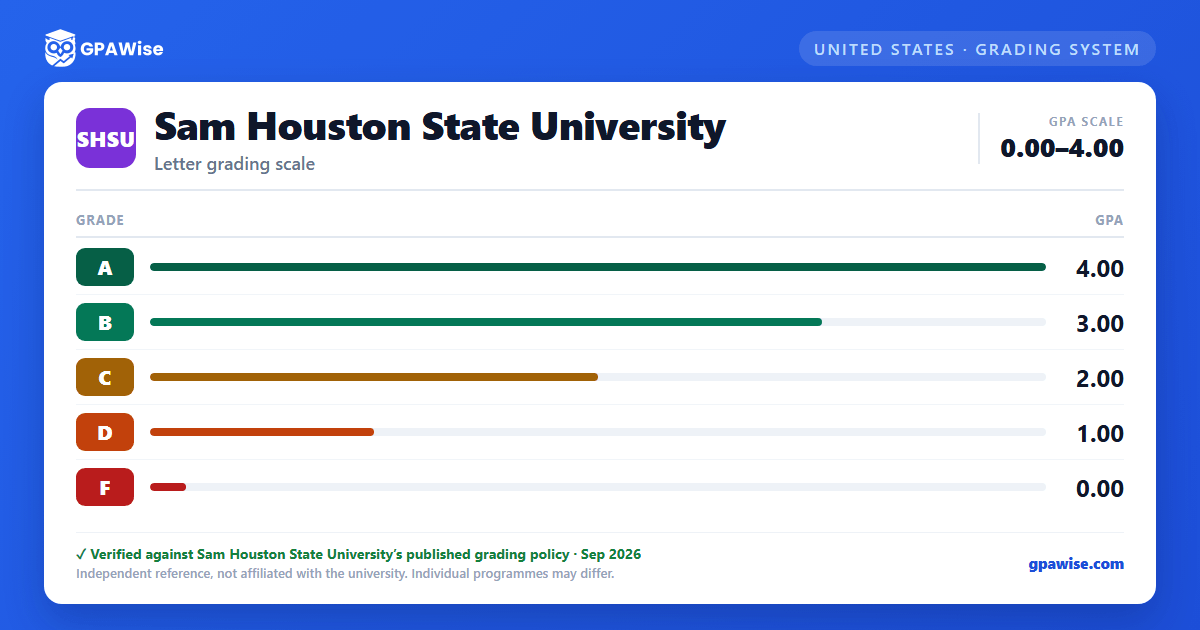
Beyond the five graded letters (A–F), SHSU records several notations that carry no grade points and are excluded from GPA calculations: X (Incomplete — temporary, automatically converts to F if not resolved by the next long term's grade-entry deadline), MG (Missing Grade, a temporary placeholder), IP (In Progress, for thesis and select courses), CR/NC (Credit/Non-Credit), Q (Q-drop, limited to 6 per student across all Texas public institutions), W (Resigned), and WQ (Withdrawal for Extenuating Absence). Developmental courses are graded CR*/NC* and do not count toward the GPA or degree credit.
Source:
Scholastic Requirements, Undergraduate Catalog 2026-2027 — verified Sep 2026
Determining Grade Point Average
GPA is calculated by dividing quality points earned by total GPA hours attempted; quality points equal a course's credit hours multiplied by its grade's point value. GPA is carried to two decimal places and is not rounded. Developmental courses and courses graded CR or NC are excluded from GPA hours attempted. When a course is repeated, the transcript marks the highest grade earned as "Include" (calculated into the GPA) and any lower grade as "Exclude" (not calculated into the GPA).
Source:
Scholastic Requirements, Undergraduate Catalog 2026-2027 — verified Sep 2026
Dean's List and President's Honor Roll
Undergraduate students earn a place on the Dean's List of Academic Honors with a 3.5 GPA or higher and no grade of F across at least 12 semester credit hours in a fall or spring term. The President's Honor Roll requires a 4.0 GPA across at least 12 semester credit hours in a fall or spring term, with all coursework graded A. Neither honor is awarded for summer terms or to graduate, certificate-seeking, or professional-level students.
Source:
Scholastic Requirements, Undergraduate Catalog 2026-2027 — verified Sep 2026
Frequently asked questions
Can I save my semesters and track my CGPA at SHSU?
Yes. After you calculate a semester's GPA, click "Save as semester" to add it to the built-in CGPA tracker, which then computes your cumulative GPA across every saved semester using the standard weighted formula (Σ SGPA × credits ÷ Σ credits). You can save semesters by course (full breakdown) or quick-add a past semester with just the SGPA and credit hours. Locking, renaming, and deleting saved semesters are all supported, and the tracker shows a running CGPA plus a trend arrow versus your previous semester.
How do I convert SGPA to CGPA at SHSU?
Your CGPA is the credit-weighted average of every semester's SGPA. The formula is: CGPA = (SGPA₁ × credits₁ + SGPA₂ × credits₂ + … + SGPAₙ × creditsₙ) ÷ (credits₁ + credits₂ + … + creditsₙ). On this page, add each semester to the CGPA tracker (either by course or as a quick SGPA + credit-hours entry) and the calculator runs the conversion for you on every save, edit, and delete — no manual arithmetic required.
Can I add past semester GPAs without entering every course?
Yes. On the My CGPA Tracker tab, click "Add semester" and choose the quick-add option. You enter just the SGPA and the credit hours for that semester — no course-by-course breakdown required. It works as a GPA calculator with previous semesters support, or as a GPA calculator without course details when you only remember the SGPA from your transcript. Quick-added and course-by-course semesters can be mixed freely; both contribute to your CGPA using the same credit-weighted formula.
Is my CGPA tracker data sent to your servers?
No. Your saved semesters are stored locally in your browser only — nothing is transmitted to GPAWise. A "Clear all tracker data" button is always available on the tracker tab to wipe the data on demand.
Is this Sam Houston State University (SHSU) GPA calculator free?
Yes — GPAWise is completely free to use. There's no signup, no paywall, and your inputs stay in your browser.