
How grading works at WCCCD
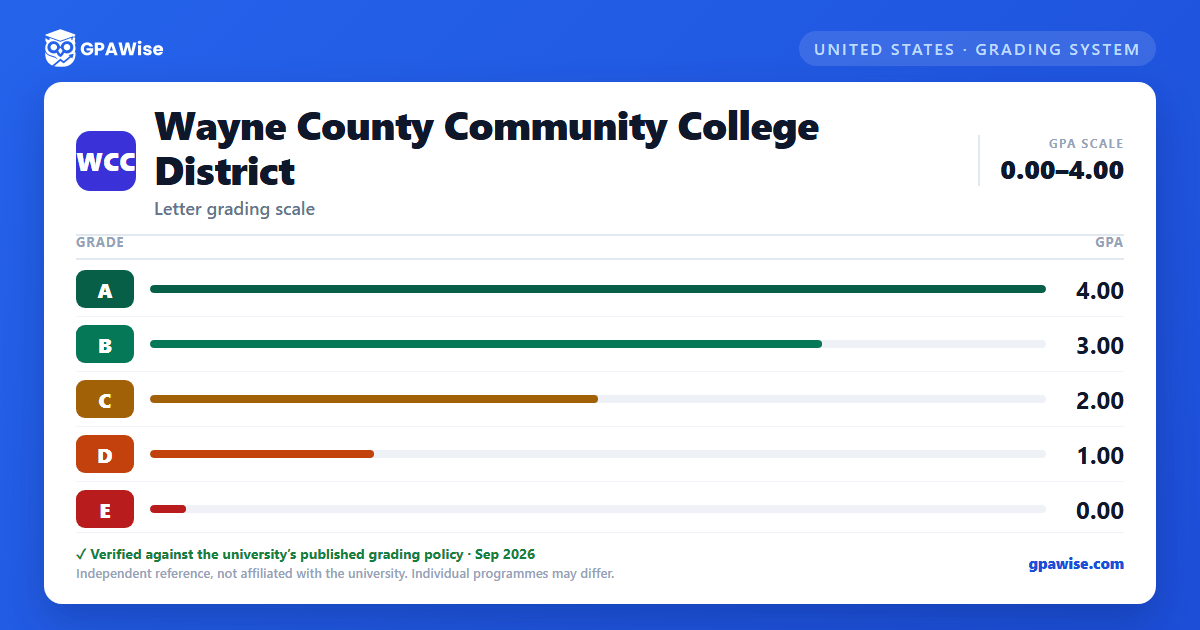
WCCCD grades on a 4.0 scale with five letter grades: A (4.0), B (3.0), C (2.0), D (1.0), and E (0.0) for failure to complete course requirements satisfactorily — WCCCD uses E, not F, as its failing grade. There are no plus/minus modifiers at WCCCD; the five whole letters are the complete scale.
Transcript codes CR (Credit by Examination), CFE (Credit for Experience), AP (Advanced Placement), I (Incomplete), NG (No Grade), V (Audit), W (Withdrawal), and XW (Walk-away status) carry no grade-point value and are not part of the grading scale itself.
Source: WCCCD Catalog, Academic Information (Grading System: grade table) — verified Sep 2026
How your GPA is calculated at WCCCD
Your grade points for a course are its grade value multiplied by the course's credit hours. Your cumulative GPA is the total grade points earned divided by the total credit hours attempted. Attempted hours include E grades (even though no grade points are earned for them), but exclude CR, CFE, V, W, and XW.
If you repeat a class, the highest grade earned is used to calculate grade points — the lower, earlier grade is excluded from your GPA.
Source: WCCCD Catalog, Grading System (Grade Point Average (GPA)) — verified Sep 2026
Academic standing and probation at WCCCD
You're in Good Standing with a cumulative GPA of 2.0 or above. Falling below 2.0 places you on Probationary Status: you're capped at 9 credit hours in fall/spring semesters (6 in summer) without written advisor authorization, and must meet regularly with an academic advisor.
If your semester GPA reaches 2.0 but your cumulative GPA is still below 2.0, you remain on Continued Probationary Status. A cumulative GPA below 2.0 for three consecutive semesters can result in exclusion from enrollment at the District for one semester; re-entry is not automatic.
Source: WCCCD Catalog, Grading System (Standards of Academic Progress) — verified Sep 2026
Graduation GPA requirement at WCCCD
WCCCD policy requires a cumulative GPA of 2.0 or higher to graduate. No degree is granted to a student with a cumulative GPA below 2.0.
Source: WCCCD Catalog, Grading System (Standards of Academic Progress) — verified Sep 2026
Frequently asked questions
Can I save my semesters and track my CGPA at WCCCD?
How do I convert SGPA to CGPA at WCCCD?
Can I add past semester GPAs without entering every course?
Is my CGPA tracker data sent to your servers?
Is this Wayne County Community College District (WCCCD) GPA calculator free?
Does WCCCD use plus/minus grading (A+, A-, B+, etc.)?
No. WCCCD's Grading System table lists only whole letter grades — A, B, C, D, and E — with no plus or minus modifiers.
Source: WCCCD Catalog, Grading System (grade table) — verified Sep 2026
What happens to my GPA if I repeat a course at WCCCD?
WCCCD uses the highest grade earned to calculate grade points for any repeated class. The lower, earlier grade is not used in determining your GPA.
Source: WCCCD Catalog, Grading System (Grade Point Average (GPA); Standards of Academic Progress) — verified Sep 2026
Do W, XW, CR, CFE, or V grades affect my GPA at WCCCD?
No. WCCCD's catalog explicitly excludes Withdrawal (W), Walk-away status (XW), Credit by Examination (CR), Credit for Experience (CFE), and Audit (V) from cumulative-GPA computation. W and XW are still counted for financial-aid satisfactory-progress purposes, but not for the official GPA.
Source: WCCCD Catalog, Grading System (Transcript Codes; Standards of Academic Progress) — verified Sep 2026
